Free & Open Source
Your passwords.
Your device. Your cloud.
A cross-platform password manager with military-grade encryption and Google Drive sync — no account, no subscription, no server.
Latest release: …
A cross-platform password manager with military-grade encryption and Google Drive sync — no account, no subscription, no server.
Latest release: …
Why SecurePass
Everything you need to manage passwords safely, with nothing you don't.
ChaCha20-Poly1305 authenticated encryption with Argon2id key derivation. Your vault is unreadable without your master password.
Encrypted vault stored in your own Google Drive. Entry-level 3-way merge keeps changes from multiple devices in sync automatically.
No account required, no subscription, no third-party server. Your data lives on your machine — and only your Drive.
Generate strong passwords with customisable length and character sets. One click copies to clipboard and clears automatically.
Web & app accounts, SSH servers, bank details, email, Wi-Fi, and custom fields — each with smart field templates.
Change your master password on one device and SecurePass automatically re-keys every other device on the next sync.
How it works
No cloud account, no sign-up. Just download, set a master password, and start adding entries.
Native desktop app for macOS, Windows, and Linux. No browser extension needed.
Set a strong master password. Your encrypted vault is created locally — nothing leaves your machine until you choose to sync.
Add web logins, SSH keys, bank details, Wi-Fi passwords, and more. Use the built-in generator for new passwords.
Connect Google Drive in Settings. Your encrypted vault syncs automatically — conflicts resolved with a simple pick-one UI.
App screenshots
A clean, fast native app — no web views, no Electron bloat.
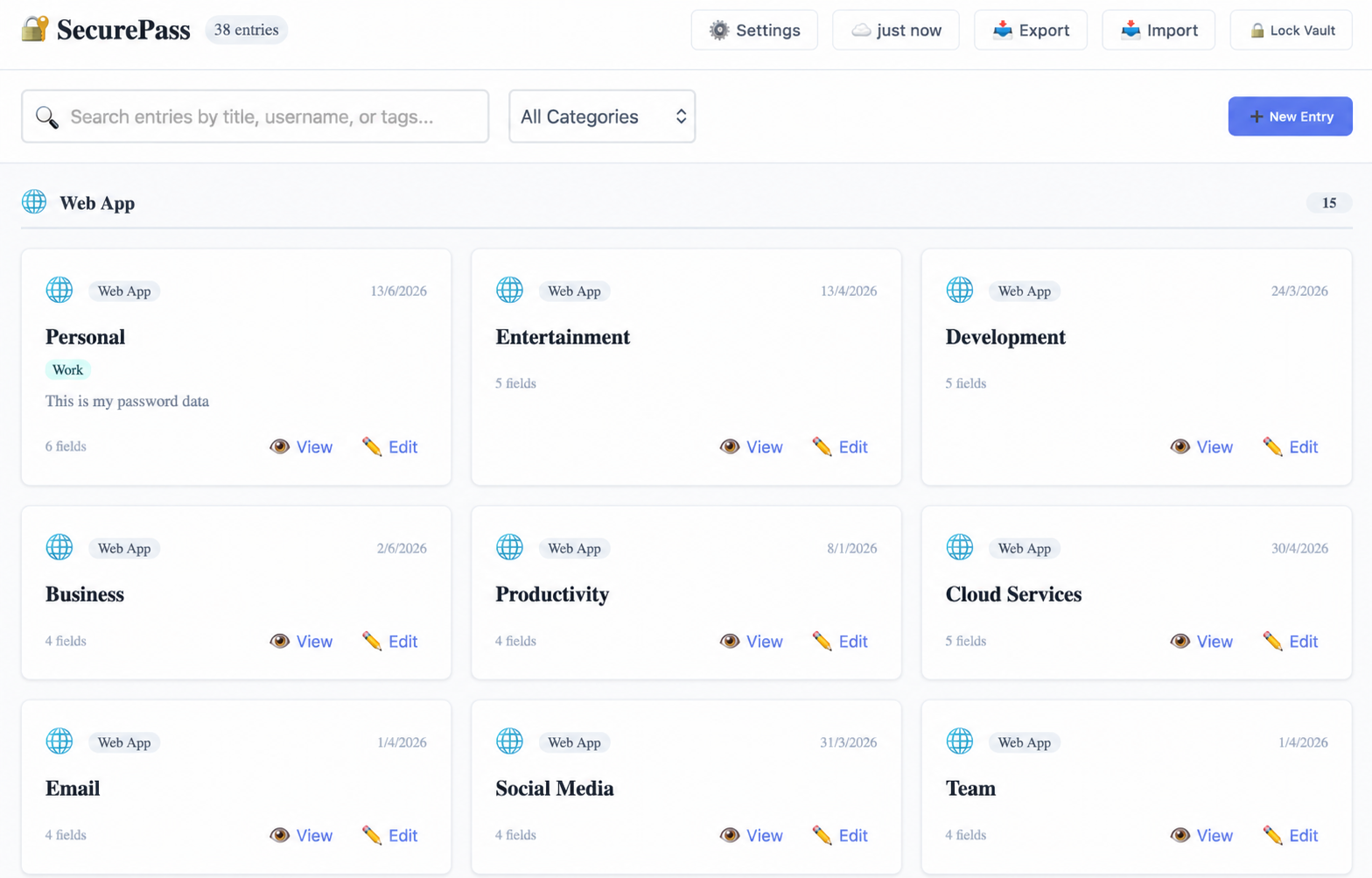
All your passwords in one place, grouped by category and sorted alphabetically.
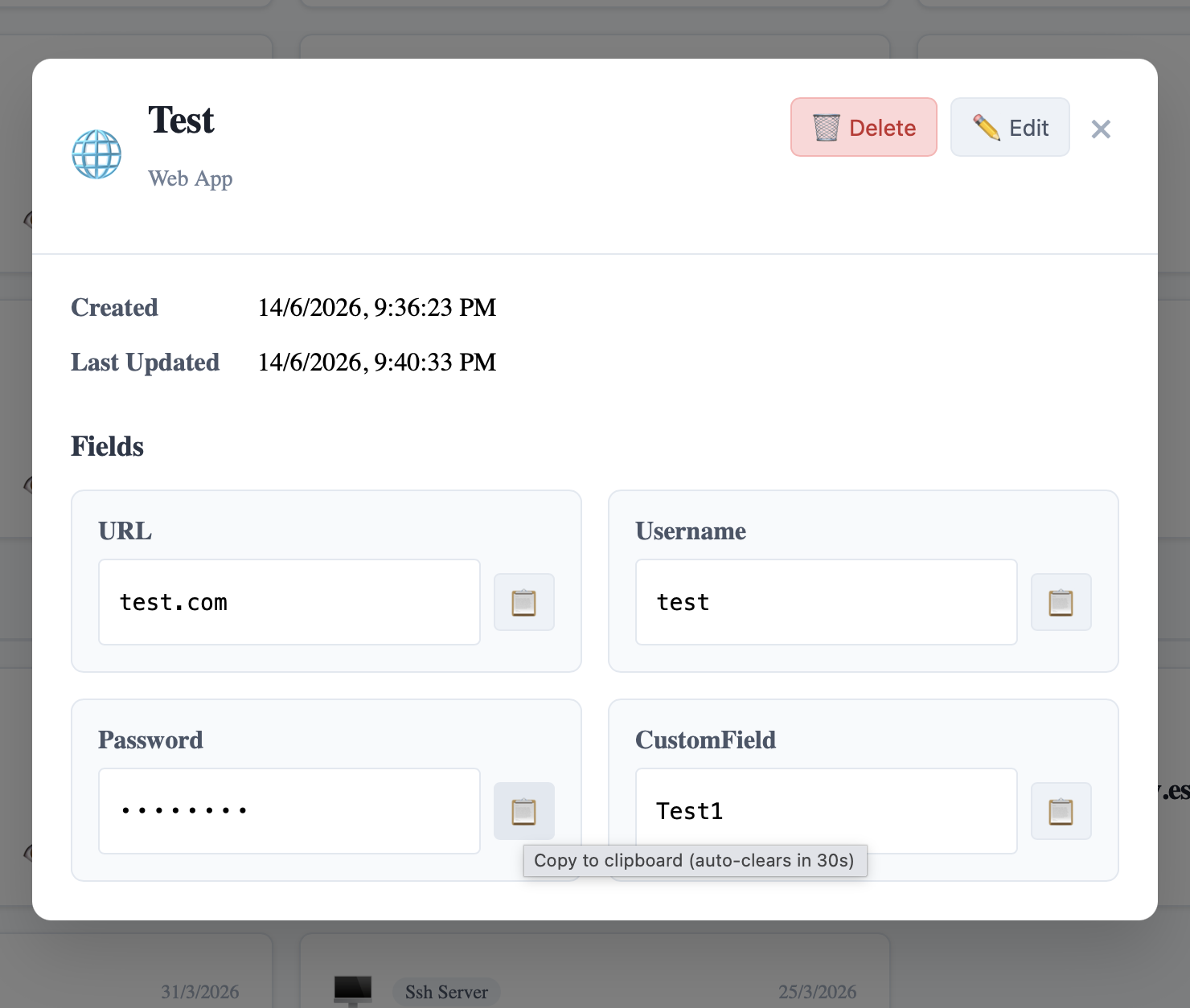
View any entry and copy fields to clipboard. Passwords auto-clear from clipboard after 30 seconds.
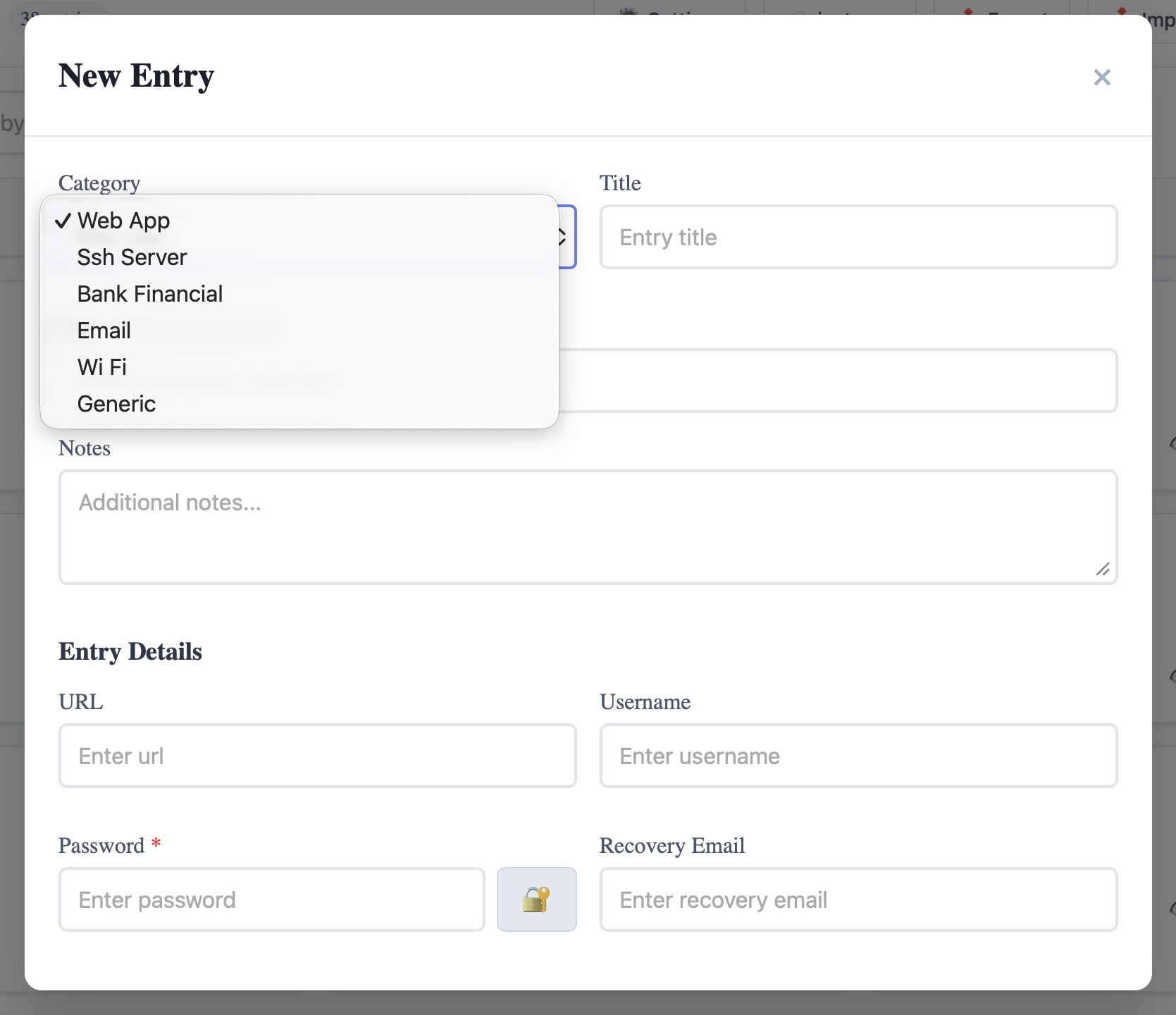
Smart field templates per category — URLs, usernames, passwords, SSH keys, IBANs, and more.
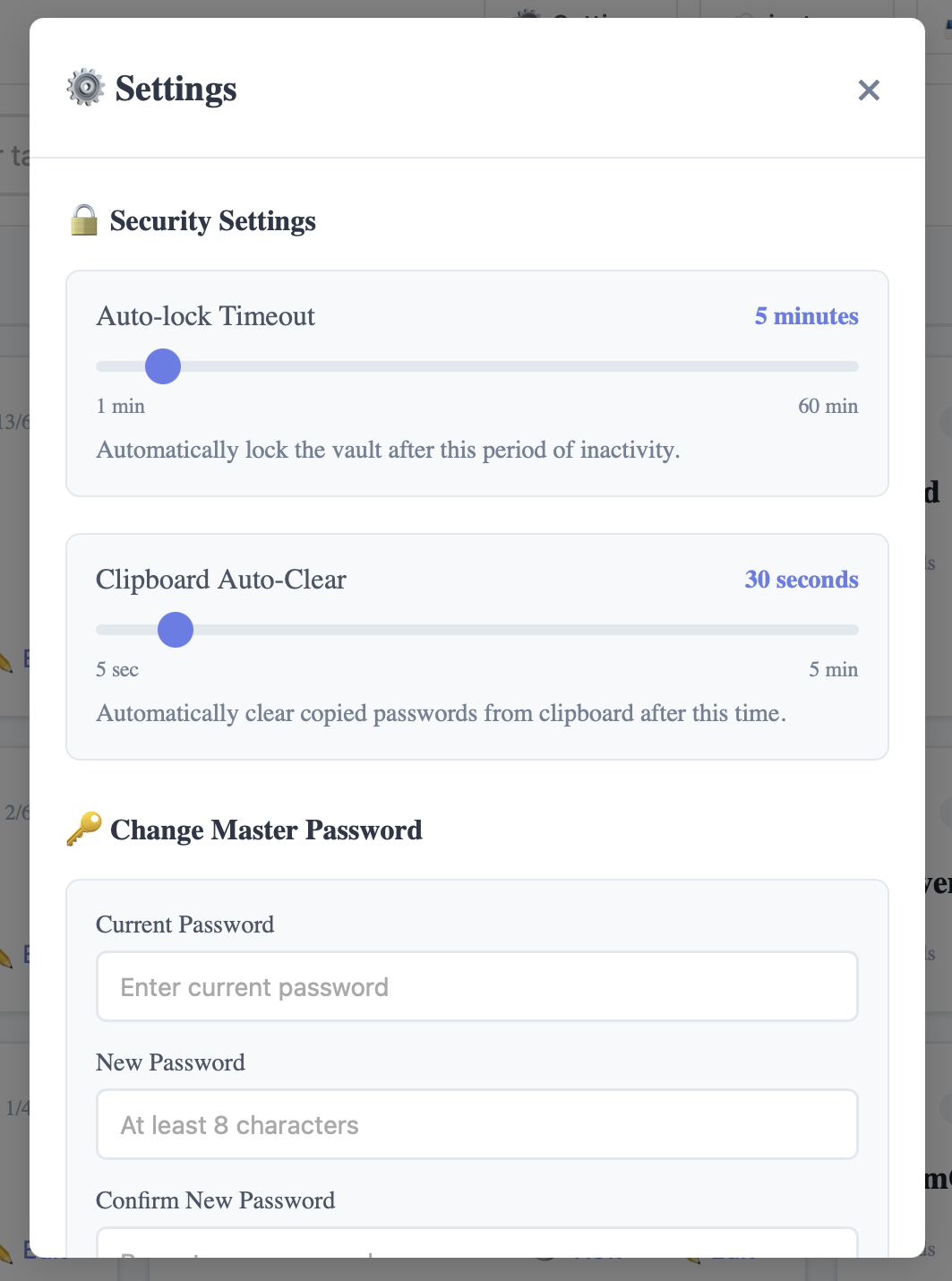
Auto-lock timer, clipboard auto-clear, and master password change — all in one place.
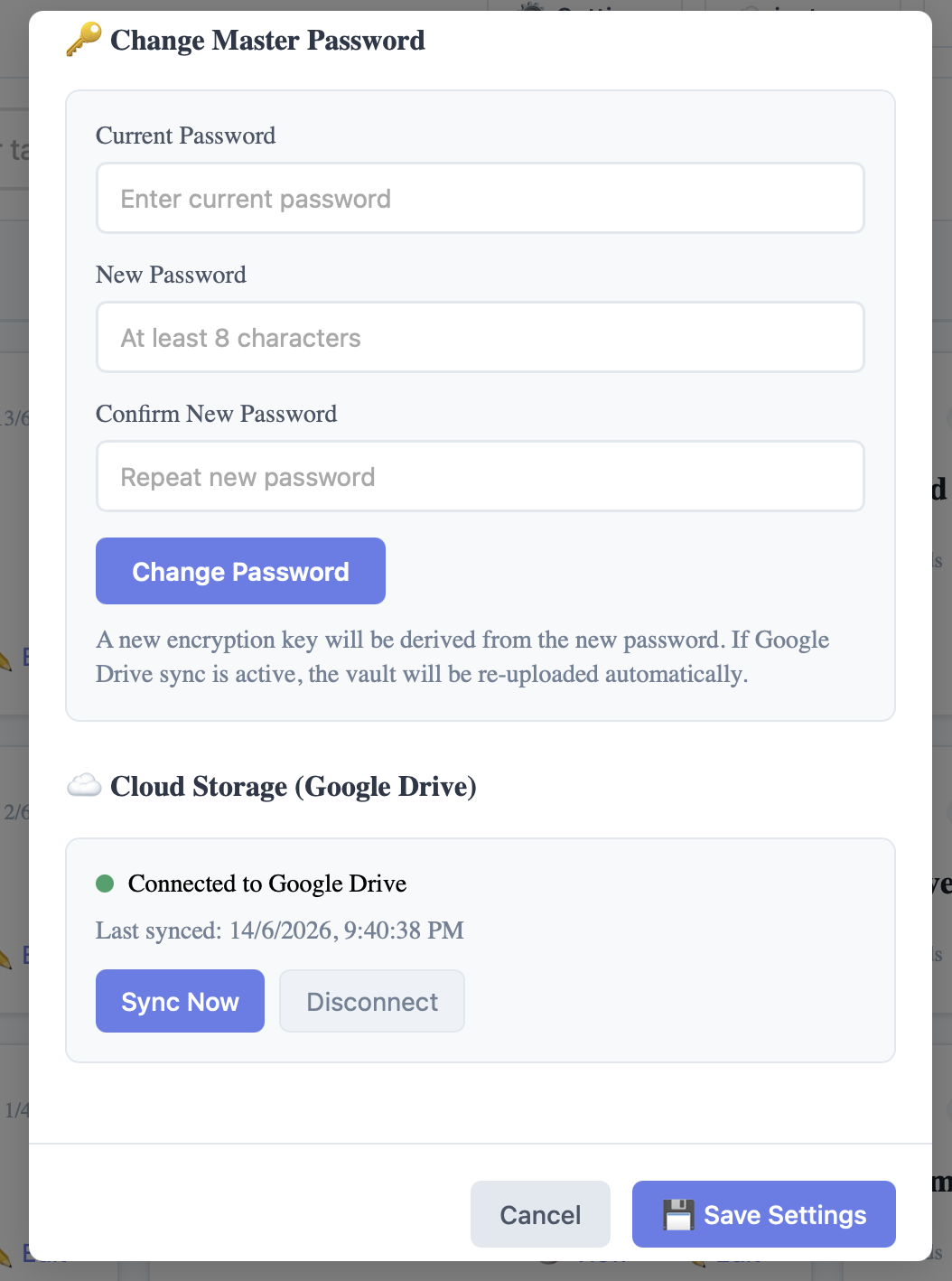
Connect your Google Drive in seconds. Your encrypted vault syncs automatically across all your devices.
SecurePass never sends your passwords to any server. The vault is encrypted on your device before it reaches Google Drive — even Google cannot read it.
Download
SecurePass is not yet Apple-notarized. Follow the steps below for your installer type.
xattr -dr com.apple.quarantine /Applications/SecurePass.app
Press Enter, then open SecurePass normally.
sudo dpkg -i SecurePass_*.deb
Or double-click in Files to open with Software Installer.